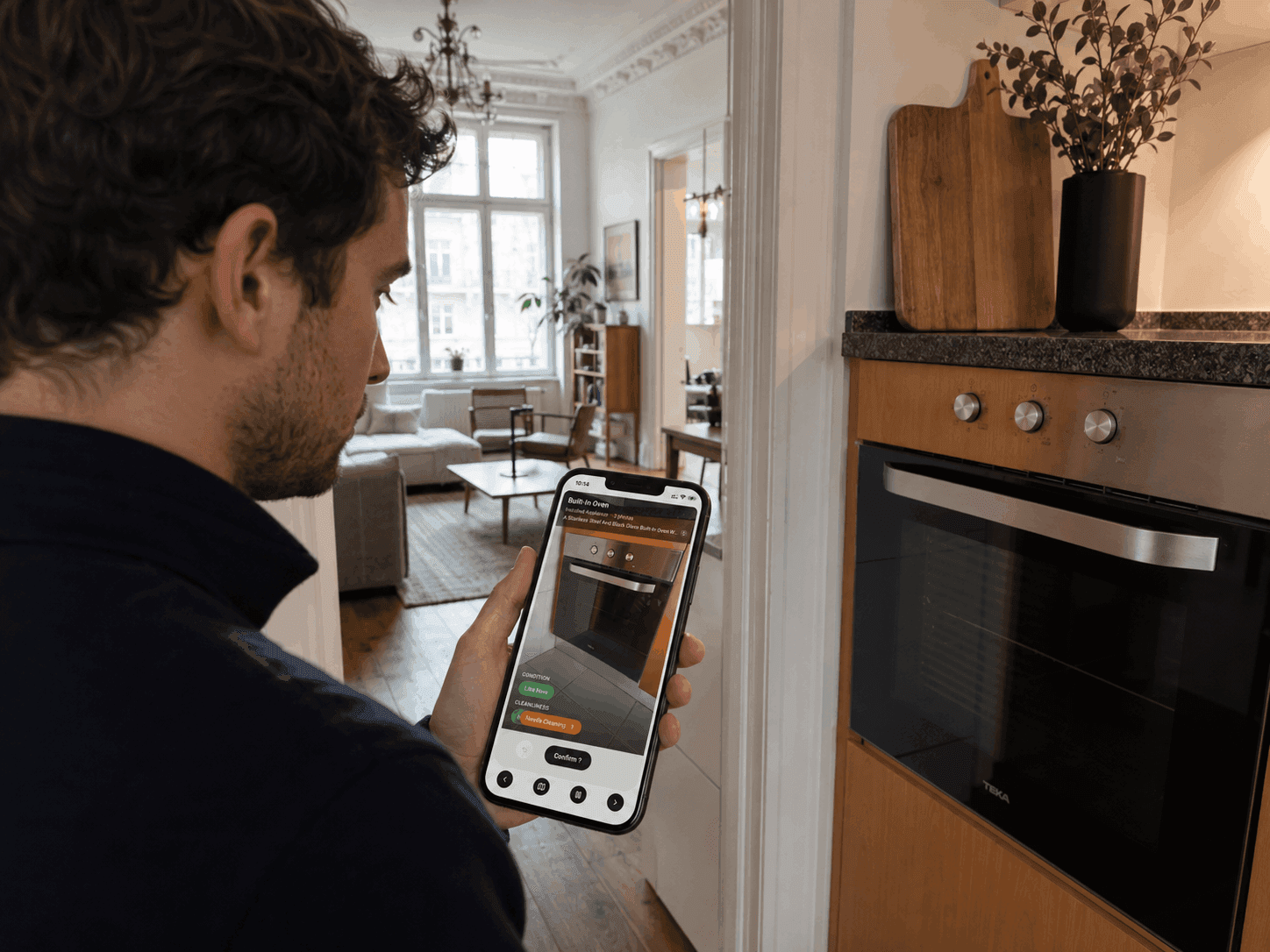
Learn how to inspect a furnished rental from inventory setup to move-in and move-out condition reports, including photos, ratings, and evidence, all based on a reusable inventory.
A furnished rental can easily contain hundreds of things that somebody may eventually have to find, count, inspect, clean, repair, replace, or explain.
That is why I treat the inventory as the beginning of the inspection process.
Build it properly once. Check it yourself once. Then use it to make every inspection that follows easier.
Start with the full inventory.
Let the property set the inventory. Walk through the rooms, fixtures, surfaces, furniture, appliances, kitchenware, textiles, electronics, decoration, keys, remotes, and everything else supplied with it.
Walls matter. Floors matter. Windows matter. So do built-in cabinetry, showers, the television, and the six wine glasses in the cupboard.
The useful question is simple: might somebody need to inspect this later?
If yes, give it a place in the inventory.
I like inventories that can introduce the property for me. Six months later, a new employee should understand the apartment without needing the old employee’s phone number.
Mono carries that same inventory into every inspection as the visual guide.
Record all data you need per inventory item.
Give each item enough identity to remain useful months or years later.
A dining chair may need a label, description, photo, room, quantity, material, and reference number. For a built-in oven, brand, model, photographs, price, and proof of purchase can become very interesting when it breaks or needs replacement.
My rule for quantities is simple: count anything that has a habit of walking away. Keys, remotes, glasses, towels, parking cards. “Some” is useless the first time somebody asks how many are missing.
Mono starts each inventory entry with a photo. AI identifies the item and creates the structured record, helping with naming, description, category, and other data derived from the image.
Item 187 should still look like it belongs in the same inventory as item 7, even if it was added six months later by someone else.
Check every item once yourself.
A new property comes with two histories: the one in the files and the one in the rooms. The first inspection is where I reconcile them.
Walk the property when it is clean, complete, and ready for handover. Work through the full inventory item by item and verify quantity, condition, and cleanliness against what is actually there.
Open the cupboards. Count the keys, remotes, glasses, and linens. Record existing wear, stains, damage, and missing pieces. Add evidence where the condition deserves a closer record.
This first walkthrough becomes the baseline for every inspection that follows. It is the point where inherited information turns into a property record you have physically verified.
Mono stores those ratings and evidence with each inventory item, so the next inspection starts from a state that has already been checked on site.
Use evidence when an item becomes an issue.
A rating tells you what somebody observed. An issue puts that observation on somebody’s desk.
When something becomes an issue, document it properly.
Document the property for the person who may never enter it. In a deposit dispute, that can be exactly the person deciding what your photos, ratings, and records are worth.
Photograph the broken chair leg where the break is visible. Show the grease inside the oven. Record four glasses when the inventory says six. Add a note when the photograph needs context.
That is why Mono requires evidence when a check becomes an issue and keeps it connected to the item and inspection.
Over time, that creates a history showing when a condition changed, when an issue first appeared, and what evidence supported it.
Put the inspection on record.
Finish every inspection with a report somebody else can open and understand.
It should show who inspected the property, when, what they checked, what they recorded, which issues were found, the supporting evidence, and who signed the result.
Mono produces an interactive web report and a downloadable, print-ready PDF.
A three-month-old condition report can be like cold pizza the morning after. Surprisingly satisfying when a problem lands on your desk and the answer is already there, dated, photographed, and signed.
Detailed furnished properties can produce long reports. Issues provide the short route to what deserves attention while the full record remains available.
Reuse the inventory for your next inspection.
This is where the work starts paying you back.
Once the inventory and baseline exist, you can inspect whenever the property requires it. The next inspection can be done by an owner, employee, cleaner, agent, tenant, or professional inspector, all working from the same visual inventory and previous ratings.
The repeatable checks stay simple: quantity, condition, and cleanliness. Existing ratings provide the starting point, so most items can be confirmed while attention moves to what changed.
A completed Mono inspection updates the relevant item histories with the latest quantity, condition, cleanliness, issues, notes, and evidence. The condition report preserves that particular inspection while the live inventory continues forward.
The next inspector receives the latest structure, photos, item information, ratings, and history.
After enough inspections, the inventory starts behaving like operational memory with dates attached.
The property keeps moving, and the inventory keeps the thread.
Closing summary.
The practical process is simple:
Build the full inventory from the property itself.
Record the item data you may need later.
Check every item once yourself and establish the baseline.
Inspect whenever the property requires it.
Check quantity, condition, and cleanliness.
Add evidence when something becomes an issue.
Put the inspection on record.
Let the inspection update the live inventory.
Then use that inventory again for the next inspection.
That is how a furnished rental inspection becomes a repeatable part of operating the property instead of a document you reinvent every time the keys change hands.